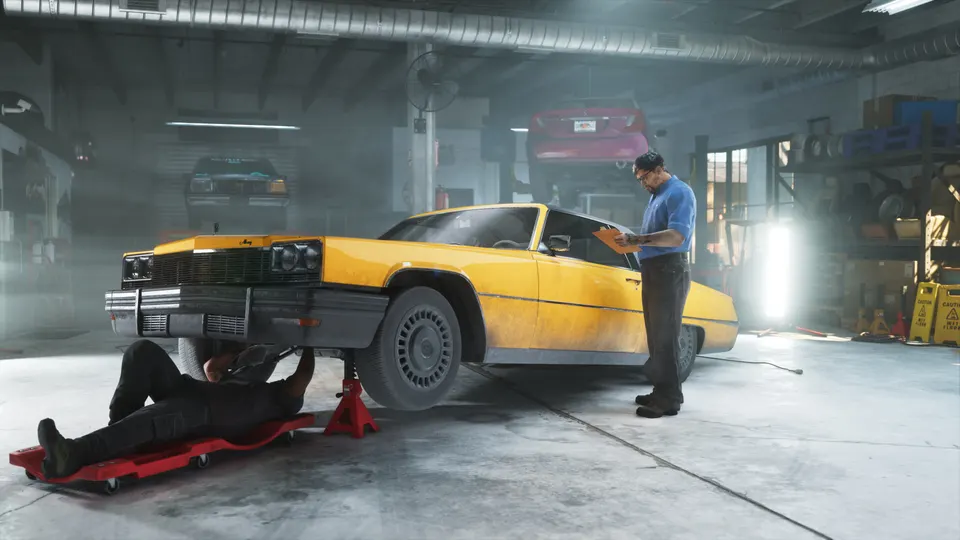
Step-by-step: How to repair and customize your vehicle
- Start the mission 'Just A Scratch': Progress through the early campaign as Jason until you unlock the mission 'Just A Scratch', which serves as the tutorial for vehicle maintenance.
- Drive to Coastal Auto Care: Follow your map waypoint to the Coastal Auto Care shop and drive inside the mod garage.
- Select Repair: Choose the repair option from the garage menu to restore your vehicle to pristine condition. During this introductory mission, the repair costs nothing.
- Apply Customizations: Browse the mod shop menu to alter your car's paint color or install performance and cosmetic mods if you have sufficient funds.
- Exit the Garage: Complete your work and drive out of the shop to conclude the tutorial.
Pitfalls to watch out for
- Repairs are only free once: The complimentary repair only applies during the 'Just A Scratch' mission. Every visit afterward will charge you standard repair fees.
- Early-game budget limits: Customization mods are pricey, and you likely won't have enough cash early on to purchase substantial upgrades beyond basic cosmetic changes like paint color.
- Phone tow repairs are unverified: While VGC reports that you can repair vehicles out in the open world by calling Coastal Auto Care from your in-game phone for a tow, this feature remains unverified across other official sources.
Rewards and what it unlocks
Completing this tutorial unlocks Coastal Auto Care as a permanent garage location on your map, allowing you to return anytime during free roam to repair vehicle damage and install new modifications on Jason's default car and other vehicles.






Comments
Discuss on r/GTA6Sourced ↗No comments yet. Be the first to say what you noticed.